
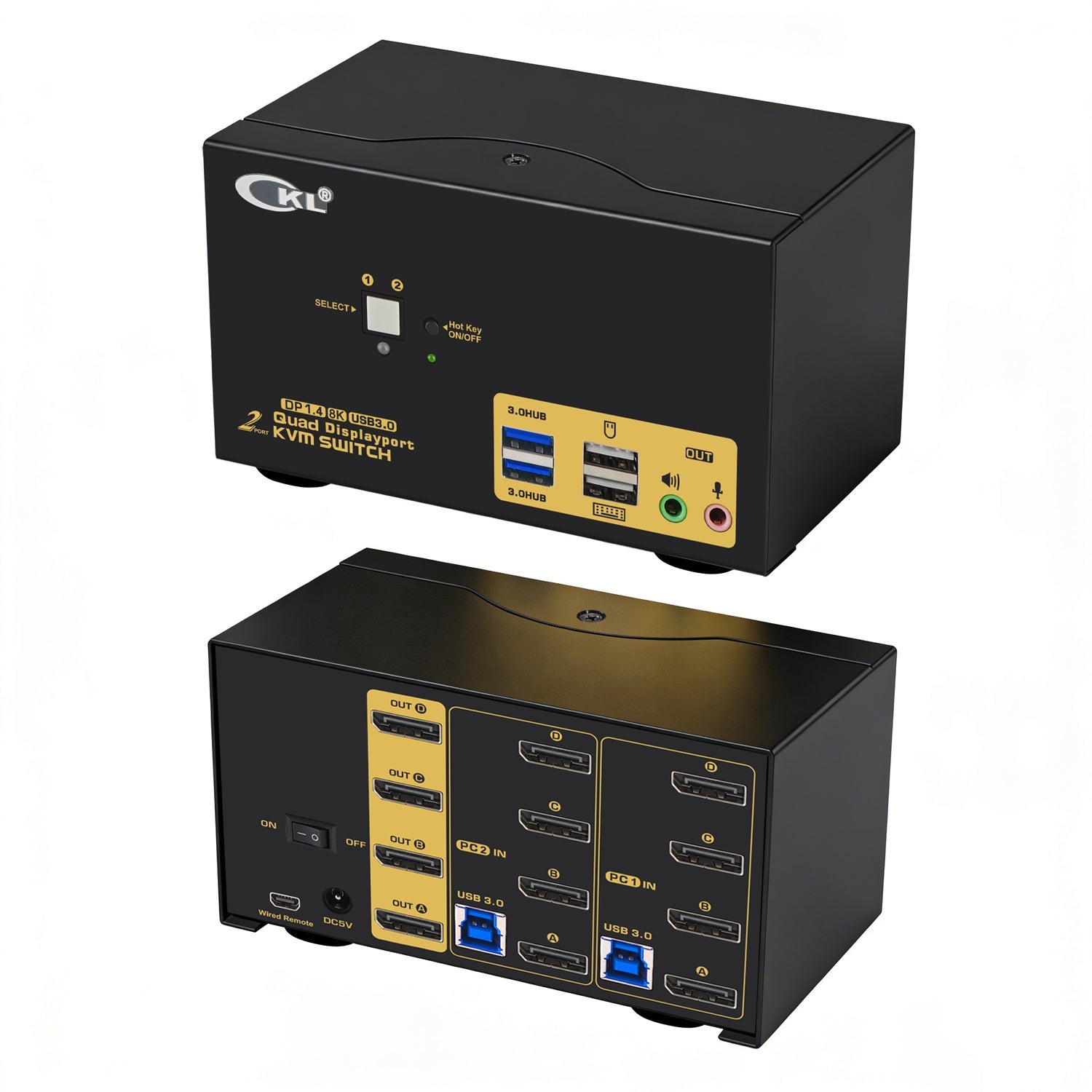
CKL 2-Port KVM Switch 4 Monitors DisplayPort 1.4 8K@30Hz 4K@144Hz | 624DP-4
- CAPABILITIES: This KVM Switch Dual Monitor DisplayPort helps you to Hook up 2 computers or laptops to share one set of keyboard, mouse and 4 extended or mirrored monitors, with 2 extra high speed USB 3.0 hub ports for more peripherals; Perfect for IT specialist, gaming, multi tasks and WFH (work from home);
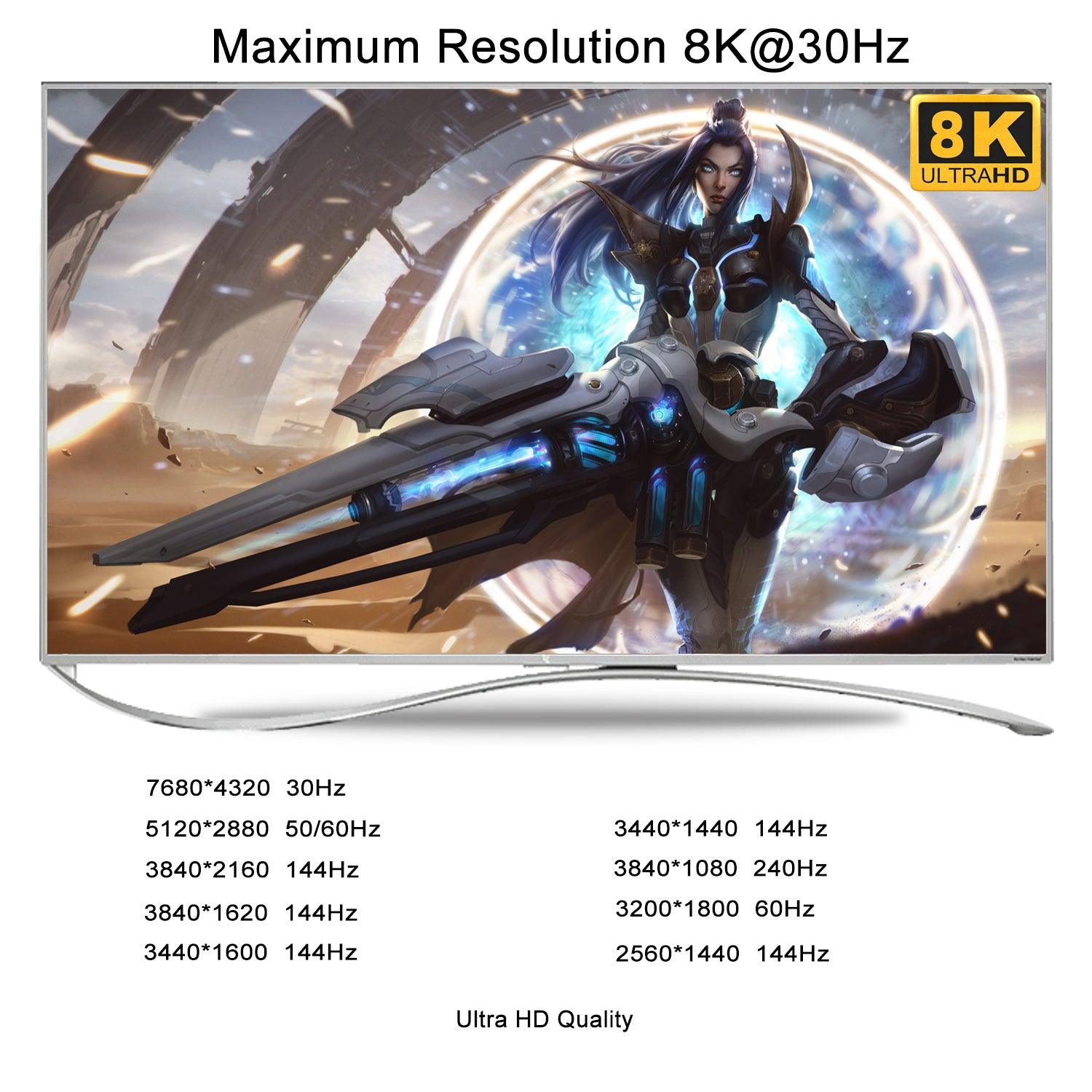
- RESOLUTION: DP 1.4 KVM Switch supports max. resolution of 8K@60Hz for dual DP input on a single monitor, 8K@30Hz, 5K@50/60Hz, 4K@144Hz, 2K@144Hz and downwards. Final resolution is also subject to graphic cards, monitors, cables and adapters and how those work together;
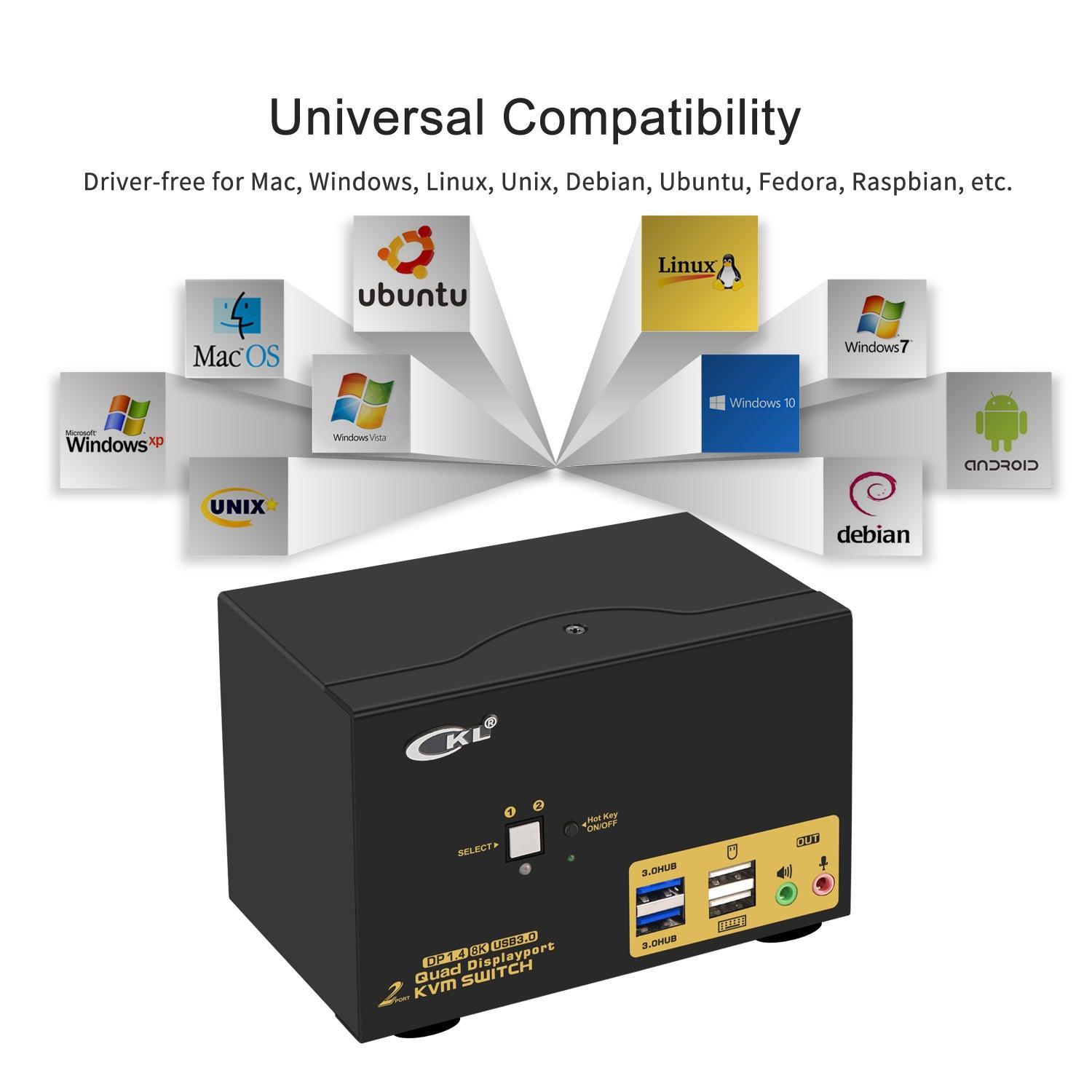
- COMPATABILITY: Cross supports most major operation systems like Windows, Linux, Mac and more; also support switch between devices without keyboard and mouse like DVR and NVR; Support webcam, speaker / headphone and microphone;
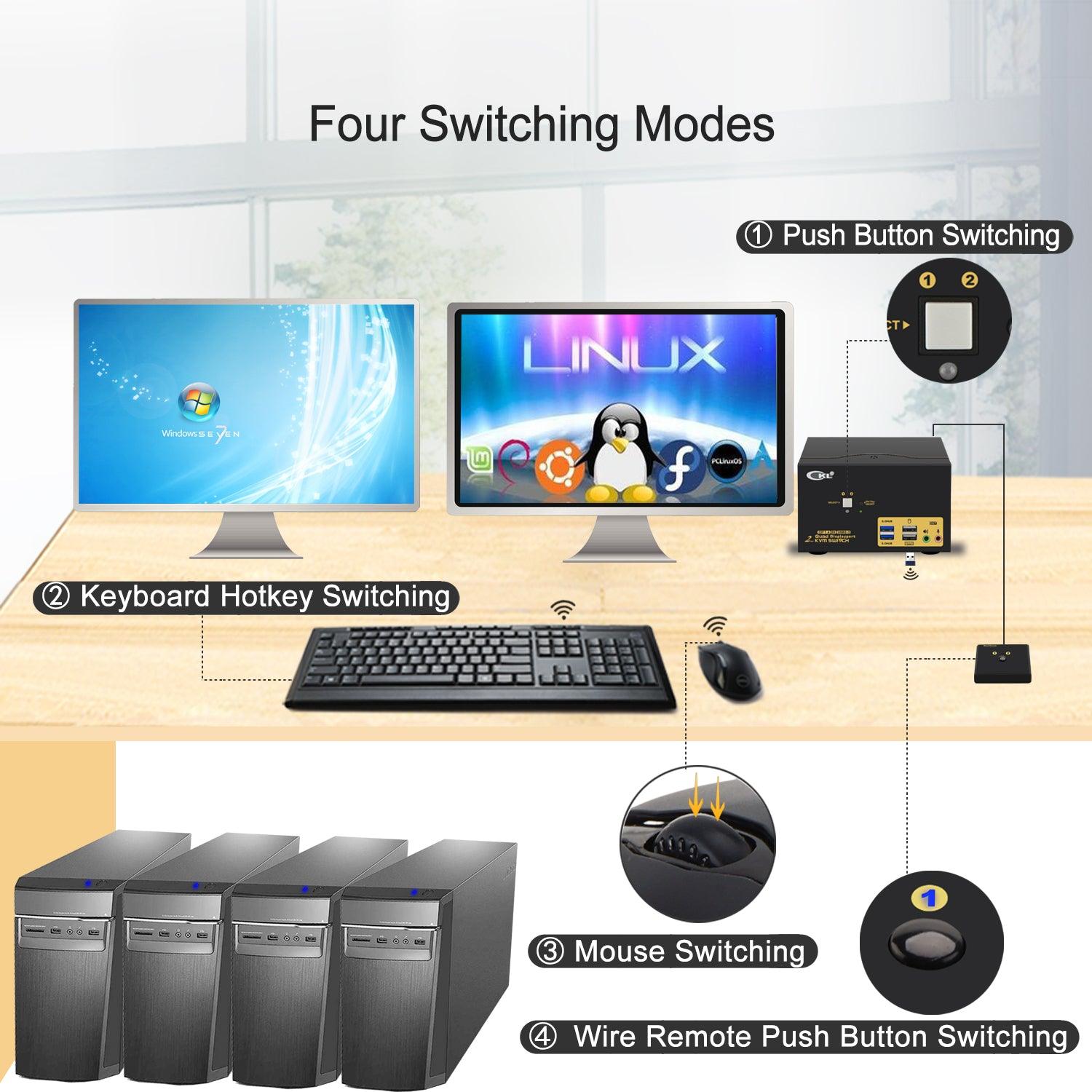
- SWITCH METHODS: Supports more switching methods than others to meet with different needs, including keyboard hotkeys, mouse hotkeys, push button, wired remote and auto scan; switching only takes 2 or 3 seconds after first set-up;
- WARM REMINDER: Adapters will be needed if your computer does not have 4 DP outputs, powered HDMI to DP or USB C to DP adapters are preferred; This DisplayPort KVM switch does not support EDID emulation so the desktop locations may change upon switching and boot-up.
KVM Switch Quad Monitor DisplayPort 1.4 Supports High Resolution and Refresh Rates up to 8K@30Hz, 5K@50/60Hz, 4K@144Hz, 2K@144Hz
- Control 2 computers / laptops using one set of wired or wireless keyboard and mouse;
- Quad DisplayPort Outputs for Extended, Mirrored or Spliced Display;
- DP 1.4 for UHD resoluiton up to 8K@30Hz, 5K@50/60Hz 4K@120/144Hz, 2K@144Hz with higher downward compatibility;
- 2 extra USB 3.0 HUB ports with high speed data transfer for sharing USB peripherals like webcam, printer, scanner, jump drive between 2 computers;
- Cross support multi operation systems including Windows, Linux, Mac and more;
- 5 advanced switching modes to swap between personal and work within 2-3 seconds, reducing cable plugging and unplugging;
- With hotkey on/off feature for higher compatibility with keyboards and mice with special features;
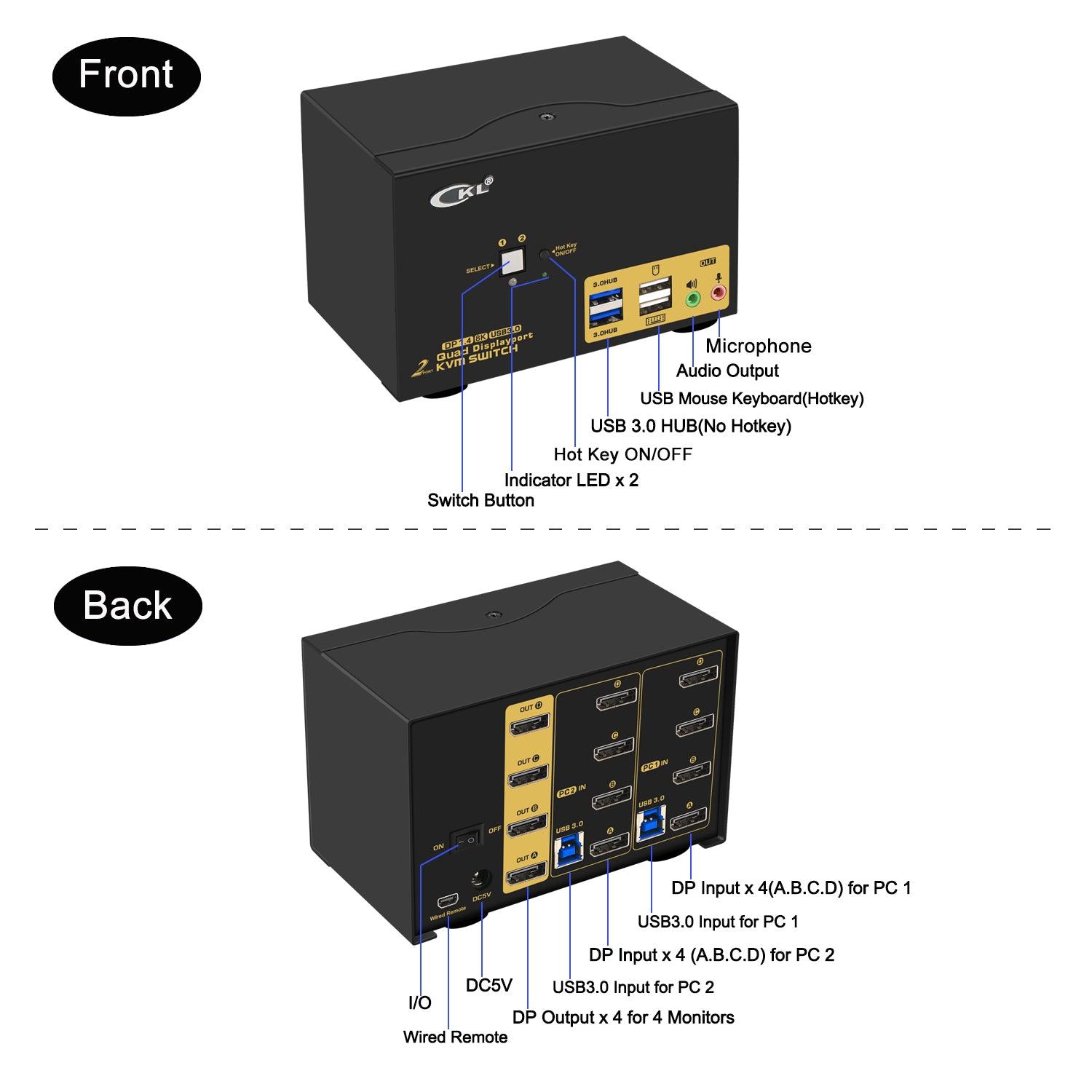
- Support Audio with separate speaker output and microphone input;
- Comes with all cables except cable for monitors which usually comes with monitor.
Solid Built Metal Housing for Durable Use and Stable Performance
- Power off everything before installation;
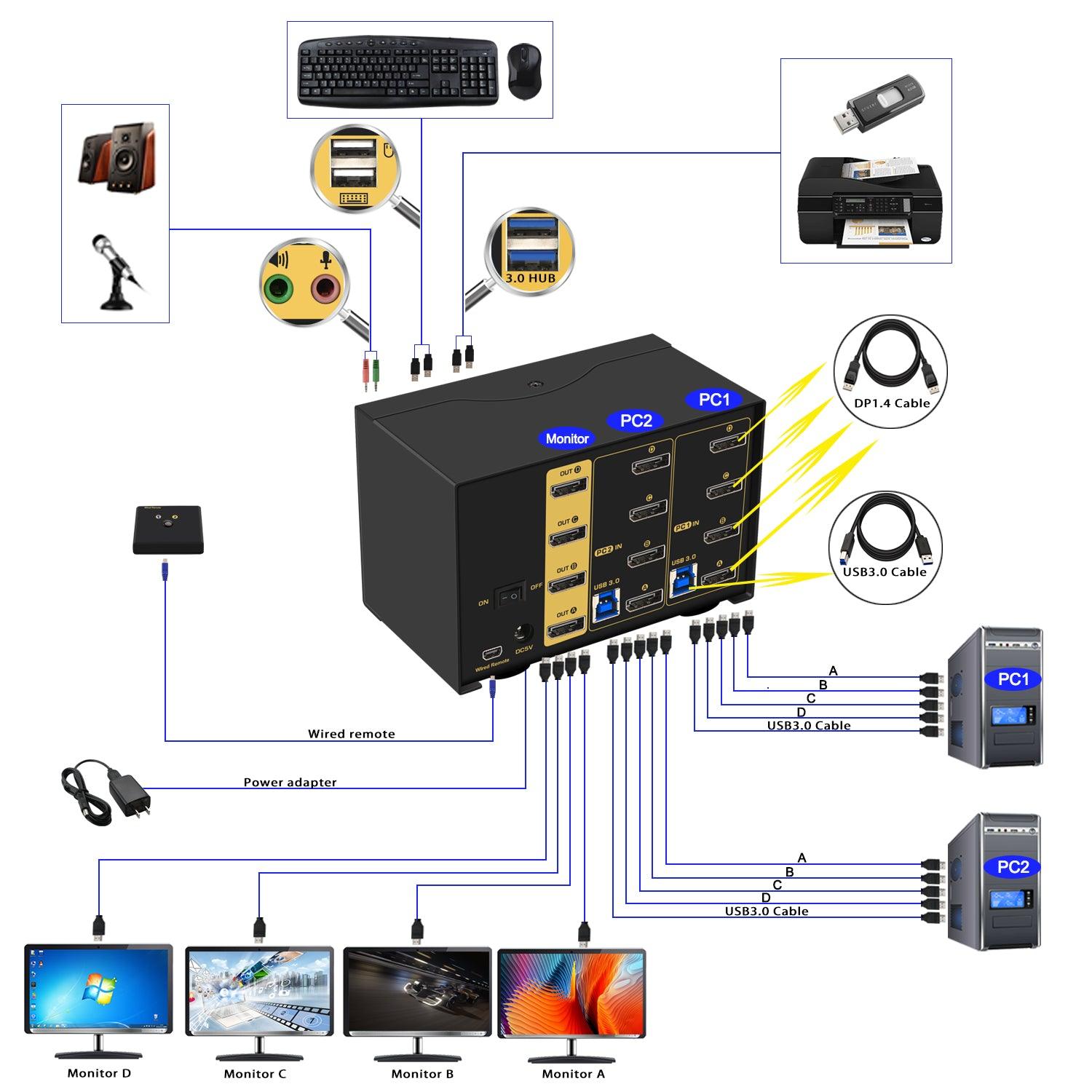
- PC 1: Connect 4 DP outputs from PC 1 to PC1 IN A, B ,C and D ports; Connect USB A-male to USB 3.0 port on computer 1, and USB B-male to USB 1 input on the KVM switch;
- PC 2: Connect 4 DP outputs from PC 2 to PC2 IN A, B,C and D ports; Connect USB A-male to USB 3.0 port on computer 2, and USB B-male to USB 2 input on the KVM switch;
- Monitor A: Connect primary monitor to DP Out A;
- Monitor B: Connect extended monitor to DP Out B;
- Monitor C: Connect extended monitor to DP Out C;
- Monitor D: Connect extended monitor to DP Out D;
- Keyboard and Mouse: Connect keyboard and mouse into USB keyboard and mouse port respectively;
- Connect USB peripherals to USB 3.0 ports if needed (optional);
- After cables being connected, power on the kvm switch first, then monitors, then computers.
Friendly Reminder:
1. For durable and stable performance, best practice is to power off everything after daily use and avoid damage on ports.
2. Some keyboard with special features like gaming, programing, multi-media, mechnical, back lights may not be well supported on the USB keybaord and mouse port which are dedicated for hotkeys, if so you can plug the keyboard and mouse into the USB 3.0 ports or turn off the hotkey then the USB keyboard and mouse port will turn into standard USB 2.0 port, without hotkeys, you can use the included wired remoter to switch between computers.
3. If you are using wireless set of keyboard and mouse which share a unifying dongle, you can plug the dongle into either the USB keyboard or mouse port (hotkey supported), or USB 3.0 port (no hotkeys).
4. The USB 3.0 cable Also draws power from USB 3.0 port on computers to drive the KVM switch, also included a USB to DC power cord as additional power supply if in case the computer does not have a USB 3.0 port.
Please be Aware before Order: Reliable Adapters Are Required in Most Cases
Quad Monitor KVM Switch DisplayPort requires 4 DisplayPort connections from each computer to the KVM Switch, however some computers especially laptops do not have 4 DisplayPort outputs. If so, please check if your computer / laptop has another video ports like HDMI or USB C (VGA and DVI is not recommended), If yes, you can use a powered HDMI to DP adapter (ref. ASIN B08PD1DY4P), or a USB C to DP adapter (Ref. ASIN B08PCZN4WT) for converting it to DisplayPort, or use docking station.
When adapters are being used, the resolution will drop. So the less adapter the better.
Suggest to use displayPort monitor to avoid using adapters on video outputs.
Final Resolution Depends on Graphic Cards, Monitors, Adapters, Cables and How Those Work Together with the KVM Switch
Special Reminder on 5K resolution (5120*2880 or 5120*1440):
This KVM switch does not work for 5K (5120x1440 or 5120x2880) over 100Hz, recommended is 50/60Hz.
Please be aware of this before order.
Do not use longer cable other than provided. Shorter DP1.4 cable (Less then 3 ft) would be better.
Universal Compatibility
Cross support most major OS including Windows, Linux, Mac and more.
5 Switching Modes
- Keyboard Hotkey
- Double Click the middle roller of mouse
- Push Button on front panel.
- Wired remote switch
- Auto Scan with adjustable interval time between 8-999 seconds
3 Display Modes
- Extended Display
- Mirrored Display
- Spliced Display
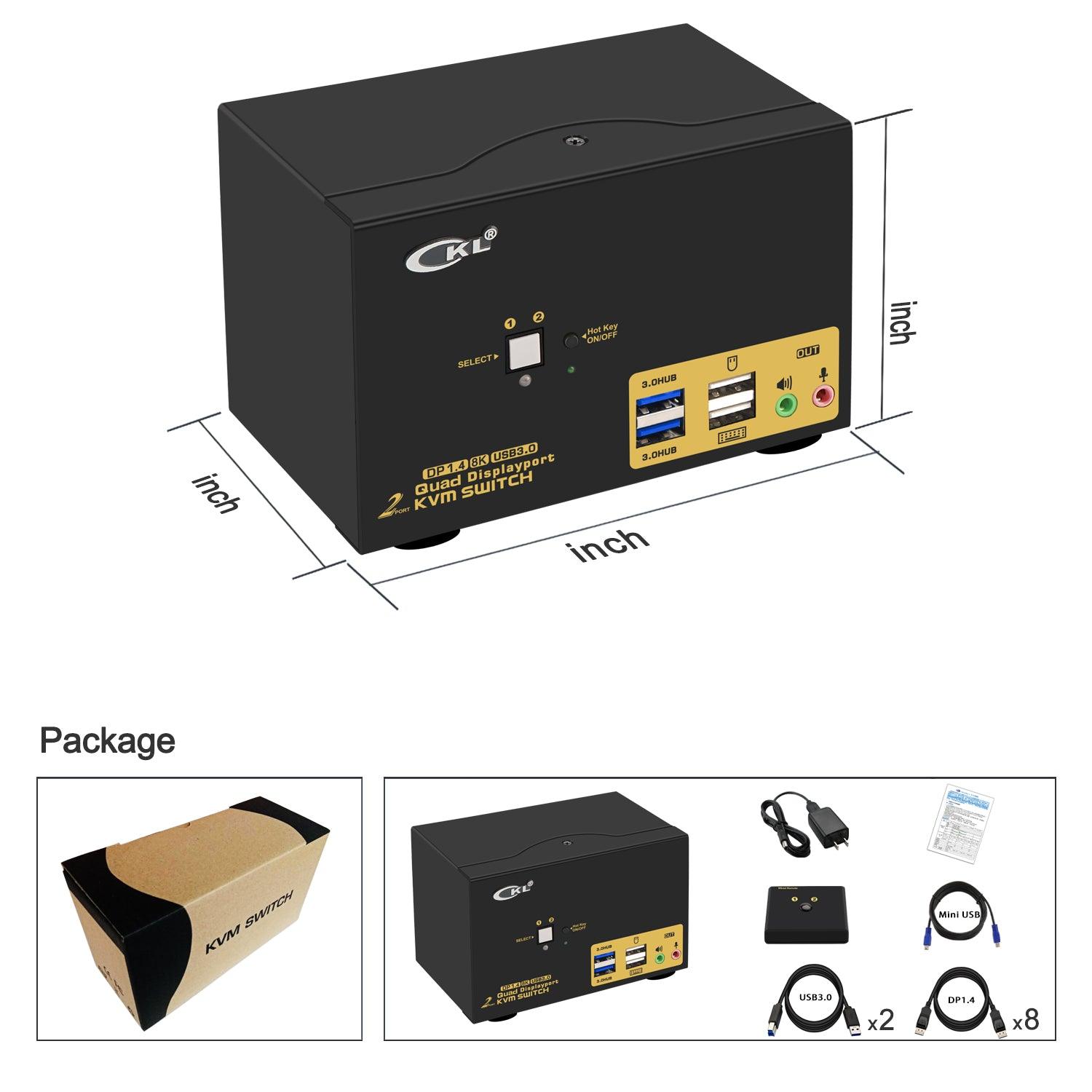
What's in the box
1* 2 port USB3.0 Dual Monitor KVM DisplayPort
1* Mini USB Cable+Wired Remoter
8* DP1.4 Cables
2* USB3.0 Cables
1* USB to DC Power Adapter
1* User manual in English
Note:
The DP cables for monitor is not included!
Click here to view or download the user manual.
Выберите параметры